
Windows精简版使用说明
安装教程
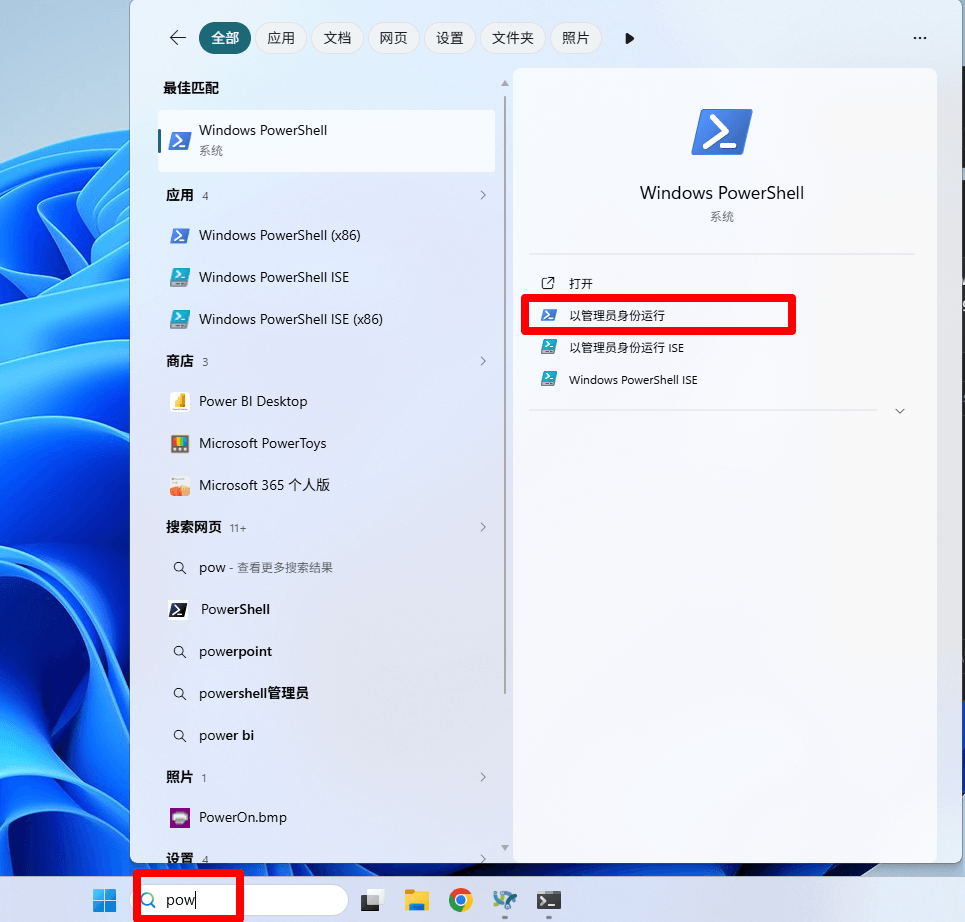
1.打开PowerShell
开始菜单内搜索PowerShell,右键选择“以管理员身份打开”
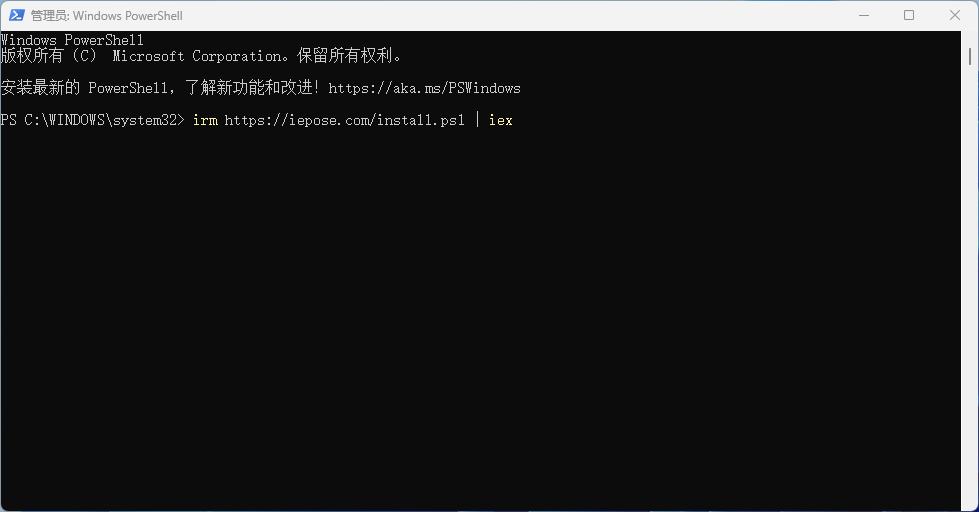
2.粘贴以下命令到PowerShell窗口,按Enter键执行
irm https://iepose.com/install.ps1 | iex
安装后再次执行该命令可进入卸载菜单
3.绑定设备
执行完安装流程后,会自动弹出绑定页面,点击“绑定”即可绑定当前设备。

误关窗口或重新绑定,可用浏览器访问http:/127.66.36.18:2080/bind绑定设备。
常用指令
需在管理员权限的powershell中执行
  查询状态:Get-Service -Name NodeBabyLinkService
  停止服务:Stop-Service -Name NodeBabyLinkService
  启动服务:Start-Service -Name NodeBabyLinkService
  重启服务:Restart-Service -Name NodeBabyLinkService